How do I connect my own domain to my store?
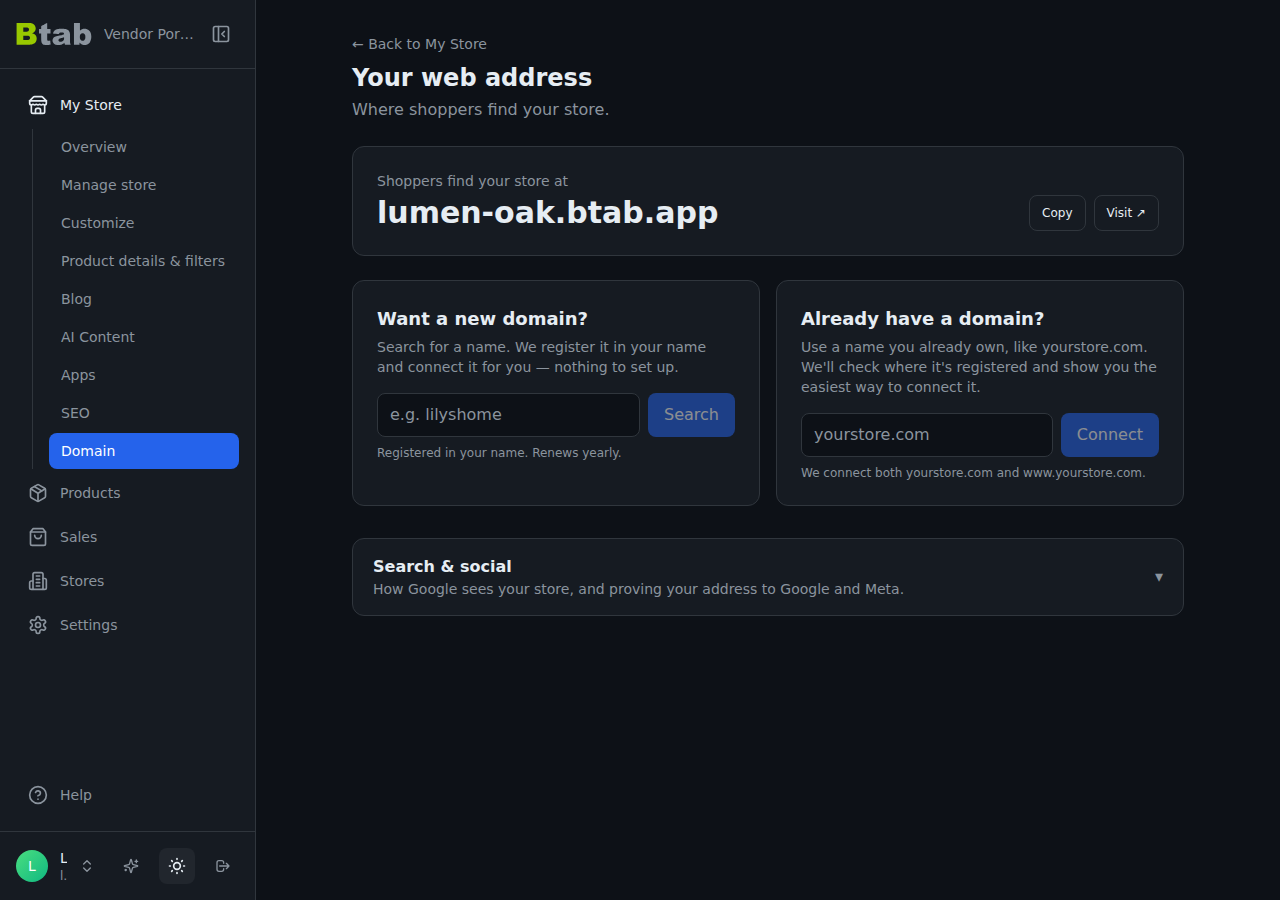
Go to Website \u2192 Domain, type your domain under "Already have a domain?" and press Connect. We show you one next step for the company your domain is registered with, and your store goes live on it, usually within an hour.
This guide is for store owners. Not you? Supplier guidesShopper guides
TL;DR: Go to Website → Domain. Under Already have a domain?, type your domain and press Connect. We check where it's registered and show you one next step. Do that step, press I've done this — check now, and your store is usually live on your domain within an hour. The secure padlock is set up for you, so there's nothing to buy, upload or renew.
Don't have a domain yet? Use Want a new domain? on the same page instead. Search for a name and we register it in your name and connect it for you, so none of the steps below are needed.
What do I need first?
- A domain you already own, from any company (Namecheap, GoDaddy, Crazy Domains, VentraIP, Cloudflare…).
- The login for that company, not your BTAB login. If a web designer bought the domain for you, you may need the account details from them.
- A published store. An unpublished store won't show on your domain, so publish it first (Website → Publish).
Step 1 — Type your domain and press Connect
On Website → Domain, the top card shows where shoppers find your store today (your free yourstore.btab.app). Under it, in Already have a domain?, type your domain, for example yourstore.com, and press Connect.
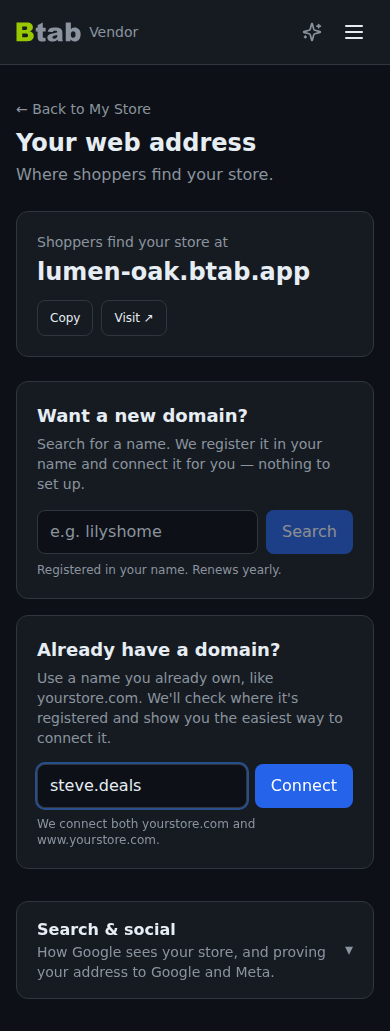
We connect both yourstore.com and www.yourstore.com. The one you type is the one shoppers see; the other takes them to it. You can swap them later with Show www.yourstore.com instead.
Step 2 — Do the one next step
Straight after Connect, we look up where your domain is registered and show a single card, titled for that company:
- Connect with one click. Your domain's company supports automatic setup. Press the button, approve the change there, and you come straight back. Nothing to copy.
- Connect at Namecheap (or GoDaddy, Crazy Domains, VentraIP, Cloudflare). Numbered steps for that company's screens, with a link that opens the right page and a Copy button next to every value.
- Connect at your domain provider. We don't recognise the company, so the steps are general: open your domain's DNS settings and add the values shown.
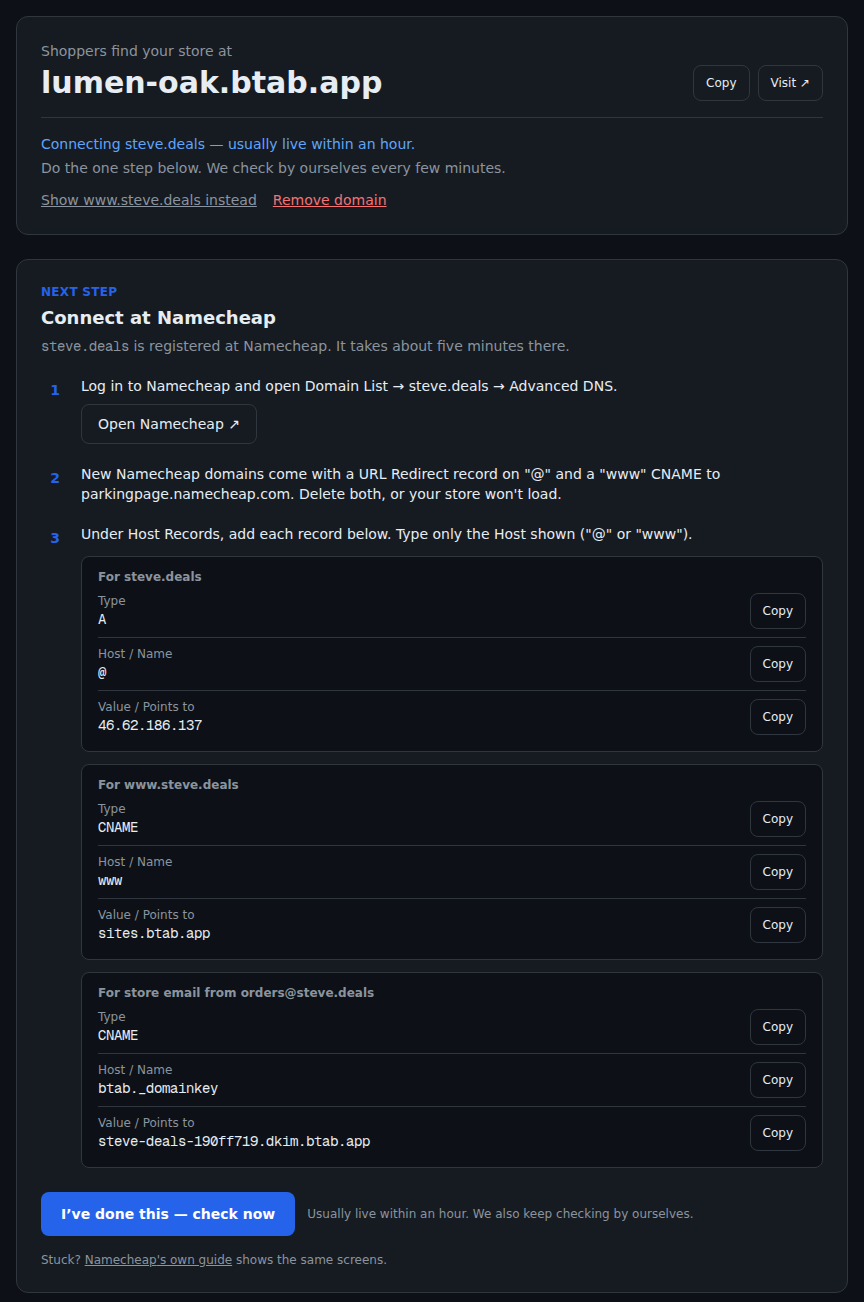
In the manual steps you add two entries (called records) at your domain's company, and the card shows the exact values:
| For | Type | Host / Name | Value / Points to |
|---|---|---|---|
yourstore.com | A | @ | the address shown on your card |
www.yourstore.com | CNAME | www | sites.btab.app |
Always copy the values from your card rather than from this article or an old note: they're the current ones for your store.
A few companies add a parking page or redirect to new domains. The card tells you when yours does and what to delete first. On Cloudflare, set each record to DNS only (the grey cloud), not Proxied.
There's no verification code to paste. Pointing your domain at your store is the proof you own it.
Step 3 — Check now, then wait for "Live ✓"
Press I've done this — check now. The top card tells you where things are, in plain words:
| You see | What it means |
|---|---|
| Connecting yourstore.com — usually live within an hour | We can't see your change yet. Changes at your domain's company can take a little while to reach the internet. |
| Almost there — securing yourstore.com | We can see your domain. The secure padlock is being set up, usually a few minutes. |
| Live ✓ | Done. Your store is on your domain, secured. |
| Something's not right with yourstore.com | The card says what we can actually see and what to fix. Fix it, then press Check now. |
We keep checking by ourselves every few minutes, so you can close the page.
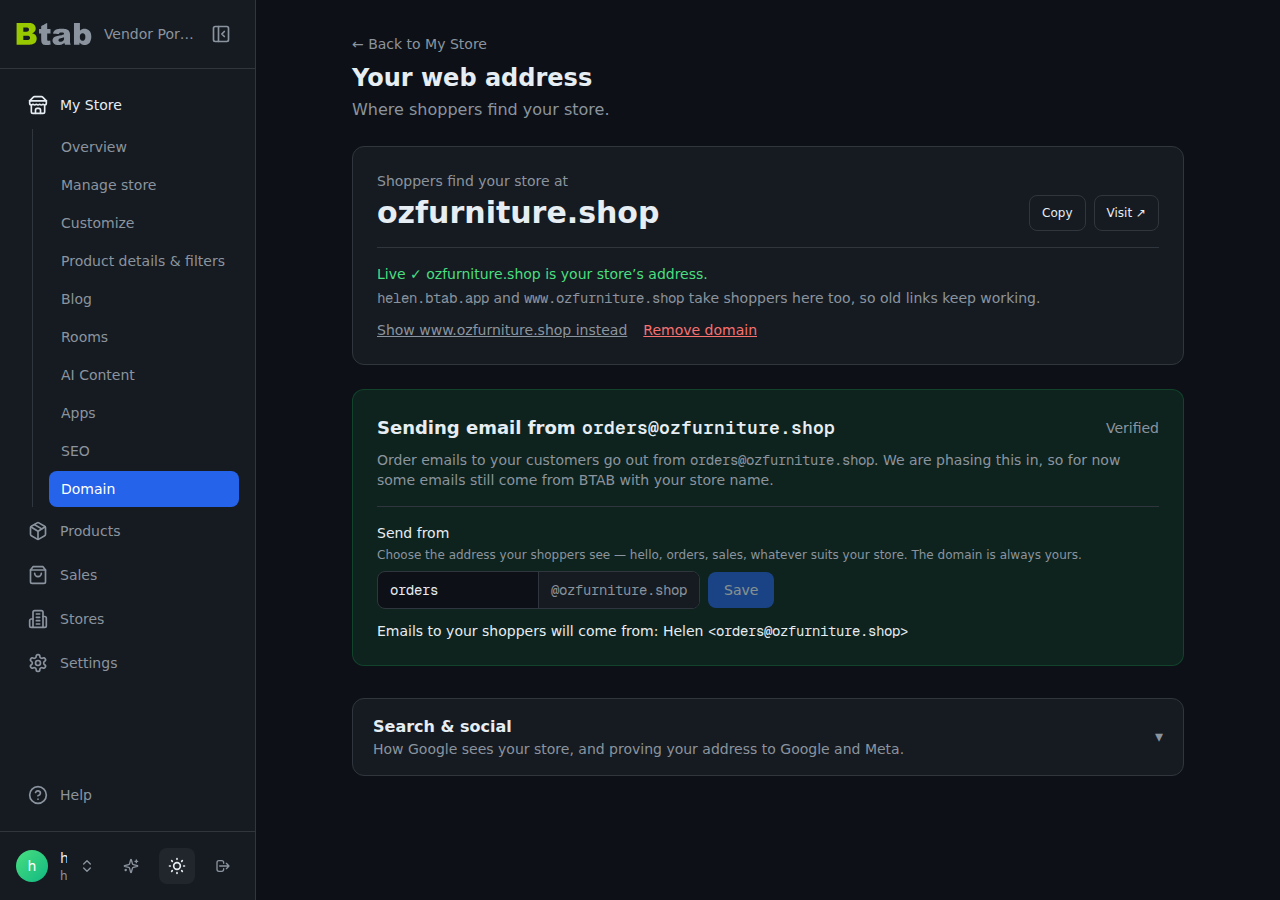
Once it's live, your free yourstore.btab.app address takes shoppers to your domain, so no old link breaks and your search ranking follows you.
What if it says "Something's not right"?
The usual causes, in order:
- the Host field has the full domain when the company only wanted
@orwww; - the Value has
https://or a slash in it; - an old parking or redirect record is still there and needs deleting;
- on Cloudflare, the orange cloud (Proxied) is on.
The longer walkthrough is on the BTAB blog.
Where did Google and Meta verification go?
They're on the same page, under Search & social at the bottom: how Google sees your store, plus the Google Search Console and Meta verification tags for your own domain.
What can't I do?
- One domain per store.
- You can't use a
btab.appaddress as your domain, because your freeyourstore.btab.appalready exists. - A domain already connected to another BTAB store can't be added to yours. If it's yours, email [email protected].