How do I read the margin report?
Sales → Analytics → Margin report shows what each paid order made after you paid for the goods and their delivery, by order, maker, sales person or channel. Owner and Manager only.
This guide is for store owners. Not you? Supplier guides
TL;DR: Go to Sales → Analytics → Margin report. For each paid order it shows Revenue ex GST, minus Buy (what you paid for the goods), minus Freight (what the delivery cost you), which leaves your Margin in dollars and as a percentage. An amber estimated means the supplier's bill hasn't arrived yet.
How is margin worked out?
  Revenue ex GST   what the customer paid (goods + freight charged),
                   less GST, less refunds, less gift cards sold
− Buy              what you paid for the goods, ex GST
− Freight          what the delivery cost you, ex GST
= Margin           in dollars, and as a % of Revenue ex GST
Everything is shown without GST so the numbers compare like for like.
The four boxes at the top are the totals for the period. Under them, a line tells you how many paid orders are counted, the dates, and how many are still on estimated cost.
Where does "Buy" come from?
From the supplier purchase order (PO) behind each order:
| What you see under Buy | What it means |
|---|---|
| A plain amount | The supplier's bill has arrived. This is the real cost |
| estimated | No supplier bill yet, so it uses the cost on the PO. It updates when the bill comes in |
| no PO cost | The order has no supplier PO, for example goods you already had in stock. Buy shows $0, so the margin on that order looks higher than it really is |
If you sell btab catalogue products, their maker shows as Catalogue supplier and Buy is what those goods cost your store.
Freight is the delivery cost recorded on the supplier PO. It's $0 when none was entered.
How do I change the view?
- Group by: Orders (one row per order, with its date, channel and sales person), Makers (your suppliers), Sales people (you and each staff login) or Channels (Counter, Web store, Shopify, Kogan, Invoice and so on).
- Period: 7 days, 30 days, 90 days or 12 months, by the date each order was paid (Sydney time).
- Download CSV saves the current view as a spreadsheet, with a totals row.
Groups are sorted with the biggest margin first.
Which orders are counted?
Paid orders only. Cancelled, unpaid and test orders are left out, and an order you invoiced (for example a converted quote) appears once it's marked paid. Refunds are taken off the order they belong to.
It shows what's left after buying and delivering the goods. It is not your payout.
If partner stores sell your goods through the Network, that income is shown as a separate line under the totals. It isn't counted as your own orders.
Who can see it?
The owner, and staff with the Manager role. The report shows buy prices, so other staff see this instead:
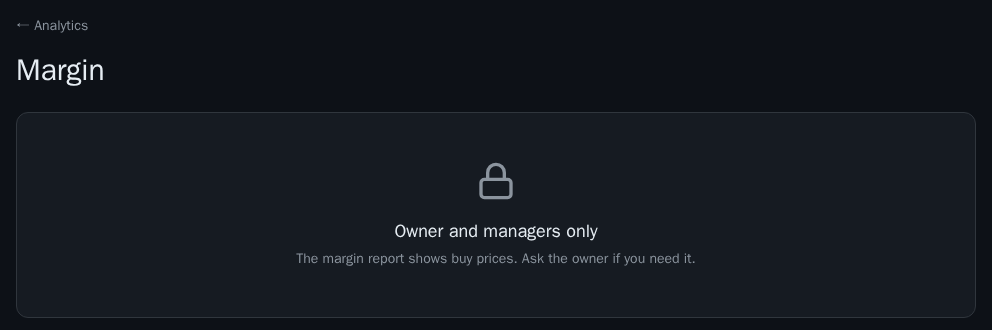
To give someone access, change their role to Manager in Settings → Staff. See How do I give my staff their own logins?.
What this means for you
Check Makers monthly to see which suppliers actually earn you money, and Sales people to see who sells at a healthy margin, not just who sells the most. If lots of orders say estimated, enter your supplier bills so the numbers become real.