Talk to your store from ChatGPT, Claude or Grok
Every BTAB store now works as a connector. Paste one address into ChatGPT, Claude, Grok, Cursor or any app that speaks MCP, press Allow, and ask about your products, orders and enquiries in plain words.
By The BTAB Team
Your AI assistant already knows a lot. What it doesn't know is your store: what you sell, what sold last week, which enquiries are still waiting. A connector fixes that. It's a secure line between the assistant you already use and your BTAB store, so you can ask about your store in plain words and get answers from your real data.
Every BTAB store is now a connector. It works with ChatGPT, Claude, Grok, Perplexity, Cursor, VS Code, Gemini CLI and any other app that speaks MCP, the open standard these apps use to plug into other software.
One address, then press Allow
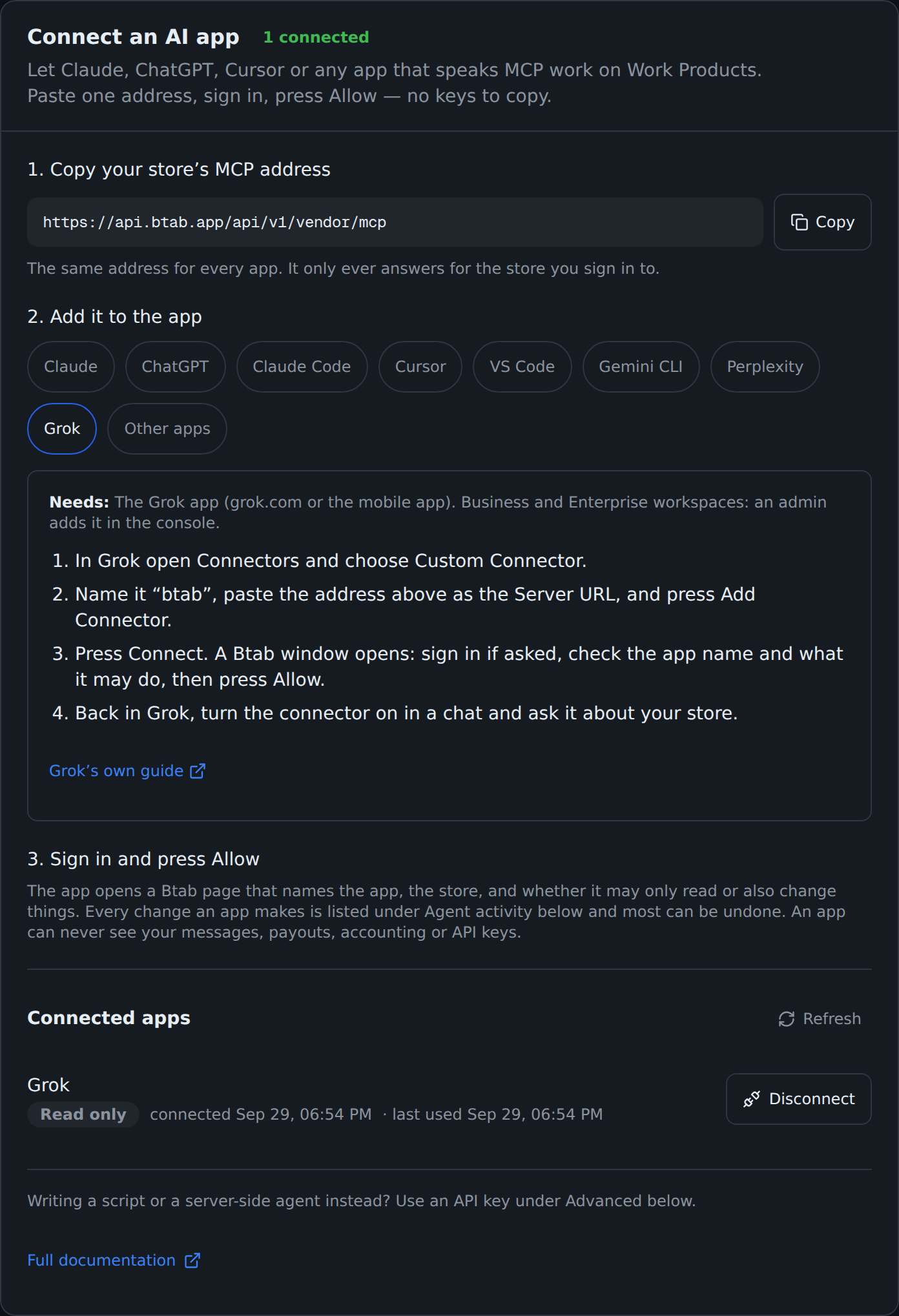
Open Settings → AI agent → Connect an AI app in your dashboard. There are three steps:
- Copy your store's MCP address. It's the same address for every app, and it only ever answers for the store you sign in to.
- Add it to your app. Pick your app and the card shows its exact steps. In Grok, for example: Connectors → Custom Connector, paste the address, press Add Connector, then Connect.
- Sign in and press Allow. There are no keys to copy.
You see exactly what you're allowing
When you press Connect, the app opens a BTAB page. It names the app, the store it wants, and whether it may only read or also change things. If BTAB can't verify the app's name, the page says so and shows the address the access will be sent to, so you know exactly who you're letting in.
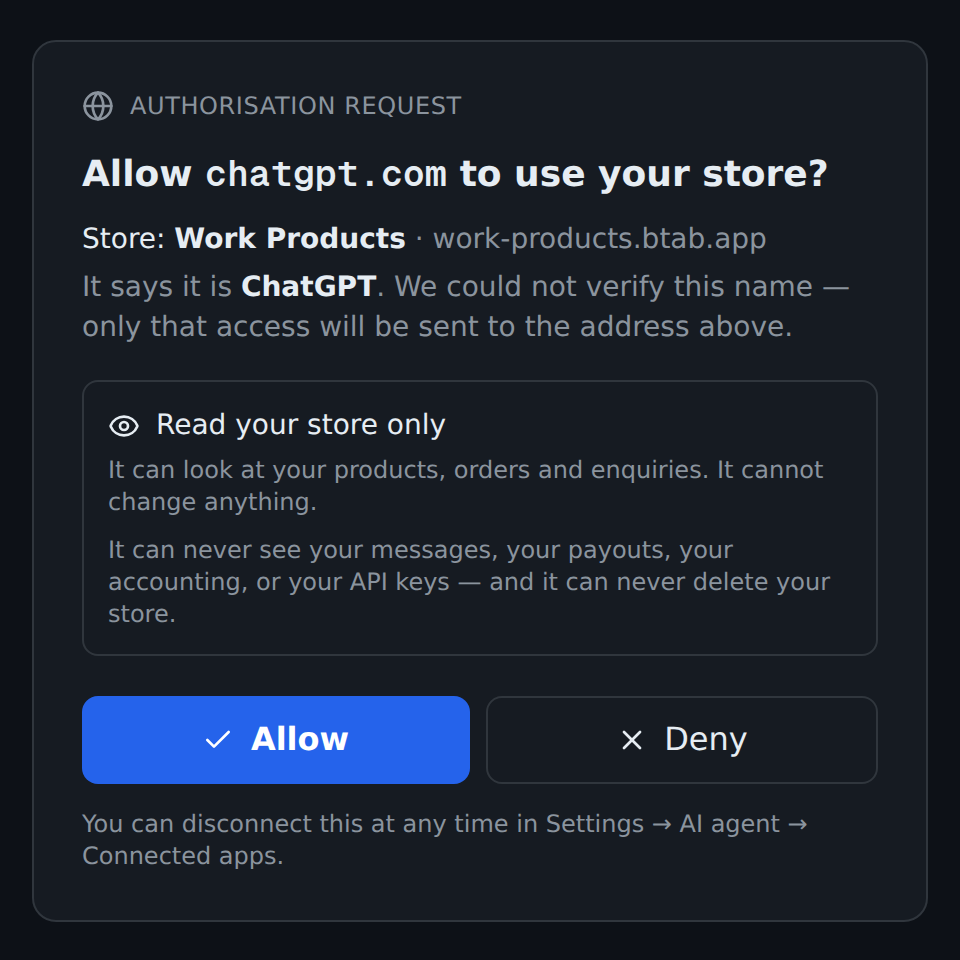
Whatever you allow, some things stay out of reach: an app can never see your messages, payouts, accounting or API keys, and it can never delete your store.
What it looks like
We connected Grok to our test store, Work Products, with read-only access and asked it one question. Grok picked four store tools by itself: the store overview, catalogue health, orders and enquiries. It came back with this:
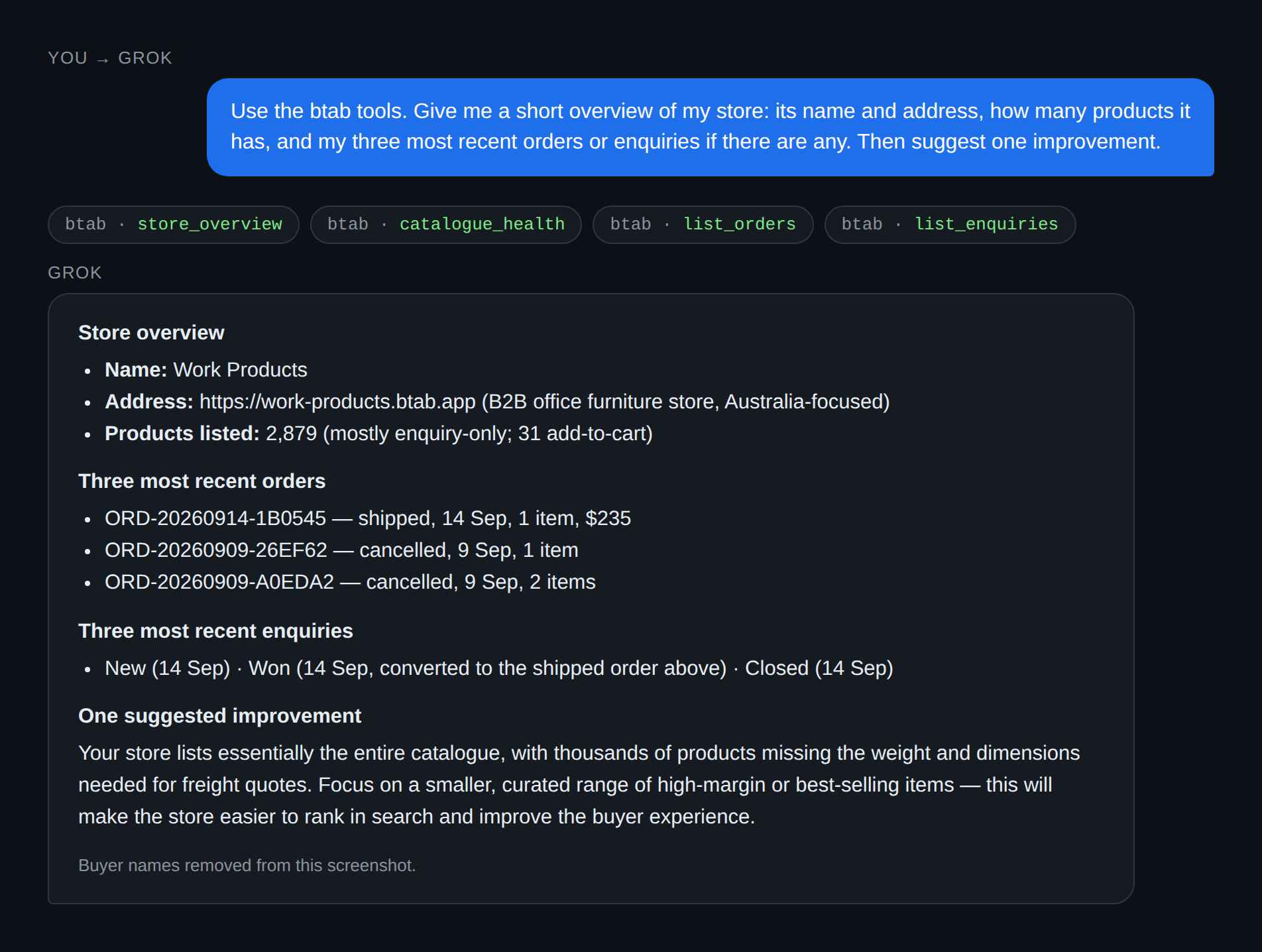
The answer is real store data: 2,879 products, the latest orders and enquiries, and a fair suggestion to trim a catalogue with thousands of products missing freight dimensions. (We ran this test through xAI's API, which uses the same connector and the same sign-in as the Grok app.)
A few things to ask your own assistant:
- "Which of my products are missing photos or descriptions?"
- "What came in this week, and which enquiries haven't I answered?"
- "Write a blog post for my store about our new range." (needs read and write access)
Read only, or read and write
| Access | What the app can do |
|---|---|
| Read only | Look at your products, orders, enquiries and store setup. It can't change anything. |
| Read and write | Also edit products, pages, your store's design and blog, and update orders and enquiries |
Every change an app makes is listed under Agent activity with what changed, when and which app did it, and most changes have an Undo button. To cut an app off, press Disconnect under Connected apps and it loses access straight away.
Scripts and server-side agents
If you're writing a script or running your own agent on a server rather than using a chat app, use an API key instead: Settings → AI agent → Advanced: API keys. It's the same store, the same tools and the same activity log.